You’ve found a web designer. You like their work. The quote looks reasonable, and you’re already imagining your lovely new website bringing in enquiries.
But before you start debating fonts, ask a few more important questions first.
year/?srsltid=AYCX9vIq6xBD9BRJaaJf3AQCMo_x0Ci1H3ZEUawjJokD-ufRqrwqsgMA
Who controls it? Can you edit it? How will customers pay? What happens if it goes down?And what, exactly, will you still be paying for next year?
I’ve seen people in Facebook groups discover limitations after they build their website. Others don’t know how to log in, what their monthly fees cover or whether they can take the site elsewhere.
A beautiful website is lovely. A beautiful website you can’t control? Not so pretty.
1. Will it actually do what my business needs?
Start with what customers need to do, not what you want the homepage to look like. Does your Jersey florist need online orders and delivery options? Does your Guernsey salon need appointment booking? Does your consultancy need enquiries rather than a shopping basket?
Write down the essentials before choosing a platform.
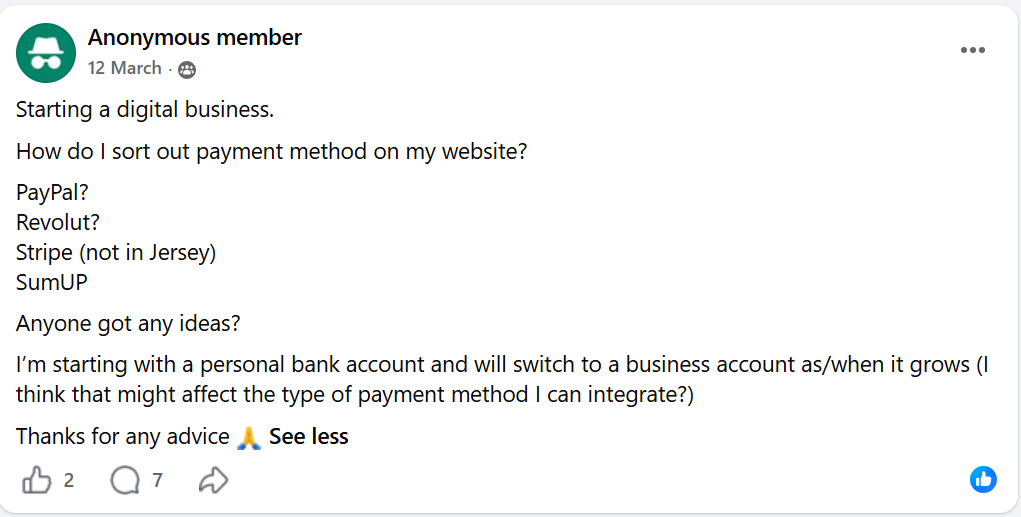
That includes payments. Don’t assume a system that works for a UK business offers the same options here. Payment-provider availability varies by location. For example, you can’t use Stripe or Square in the Channel Islands. A content management system provider like Wix, for example, lists different options for Jersey and Guernsey than those available in the UK.
Ask your designer to confirm compatibility with your island-based business and bank, explain transaction fees and demonstrate checkout.
If you don’t want a PayPal-led experience, say so before the build. Don’t save this conversation for launch day.
2. Can I edit it myself?
You shouldn’t need to send three emails and request a quote to change your opening hours.
Ask which content management system, or CMS, the designer uses. That’s the behind-the-scenes area where you update the website.
websites
Then ask:
- Will I have my own login and appropriate administrator access?
- What can I change without technical help?
- Is training included?
- Will I receive instructions or a recording?
When I build websites, I include training so clients know how to add, edit and delete pages.
They might prefer me to make changes afterwards, but that should be a choice, not a necessity.
3. What does ‘ownership’ actually mean?
This is the big one: control.
Don’t settle for ‘of course it’s your website’. Ask what that means in writing.
Who holds the domain account? Who controls the website account? What rights do you receive to the design, copy and custom code? Are templates, photographs or software licensed rather than owned?
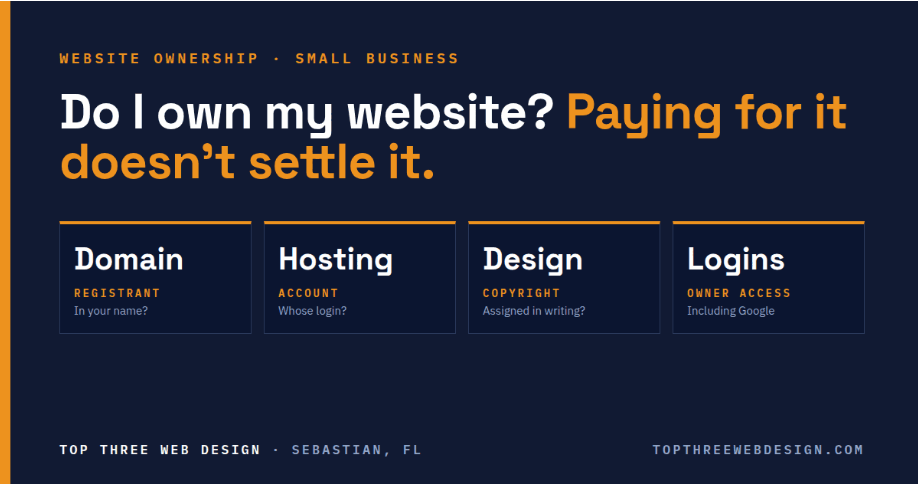 Paying for construction and receiving associated rights aren’t the same. Get the ownership, licensing and handover terms clear before signing.
When I build a website and complete the job, I transfer ownership of the website account to the client. I’m happy to remain an administrator if they want help, but that’s their decision.
It’s their business. They should understand what they’re getting.
4. What am I paying after launch?
‘Website: £X’ is not the whole budget.
Three recurring fees to understand are:
- Website hosting: keeping the site available online.
- Domain registration and renewal: maintaining your web address, often loosely called ‘domain hosting’.
- Email hosting: running your business mailboxes.
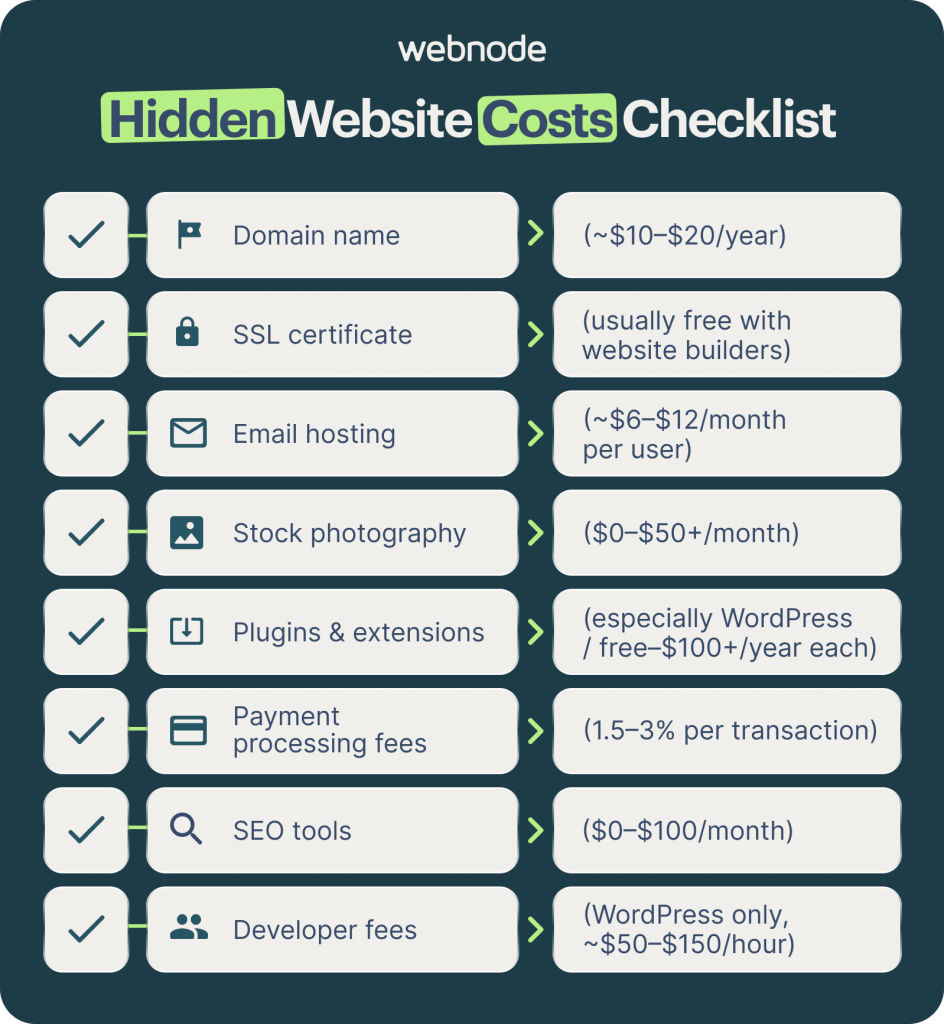
These may be bundled or billed separately, monthly or annually. If you pay annually, they renew each year, not as one-off costs that disappear forever.
Ask about platform subscriptions, paid plugins, maintenance, security updates and transaction charges too.
I don’t charge a monthly management fee. Other designers do, and that isn’t automatically unreasonable. The question is what you receive. Backups, monitoring and support? Fine. An unexplained invoice labelled ‘website stuff’? Ask more questions.
5. Who helps when something breaks?
Imagine your Guernsey shop’s website stops taking orders on a busy Saturday. Who do you contact?
Agree on support hours, response targets, emergency arrangements, and backup responsibilities before you need them.
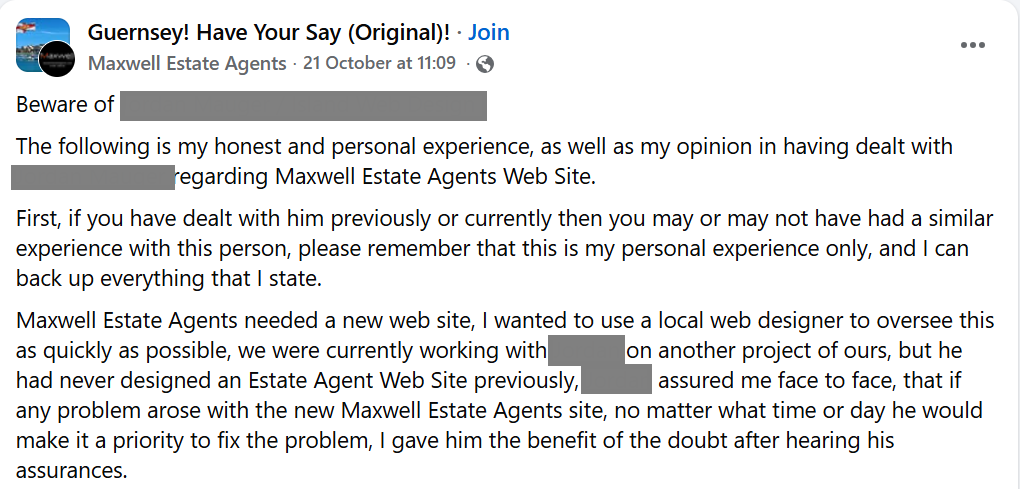
Also ask who handles software updates and security if you decline maintenance. No monthly fee shouldn’t mean no maintenance plan.
You don’t need guaranteed instant replies at midnight. You do need clarity.
6. What happens if I want to leave?
Ask whether another designer can take over, what can be exported and what migration costs apply.
Some platforms cannot simply be moved wholesale to another host. Find that out now.
A fair charge for migration work is different from a surprise exit fee. Both should be explained upfront.
Your website should support your business, not become a mystery you’re afraid to touch. Ask the awkward questions before signing. A good working relationship can handle them.